UI Review
Screenshot-led review of the current A-Grade Services prototype.
UI Review
This review is based on headless Chrome captures of the live local app at http://localhost:3001.
Screenshots were captured at:
- Desktop:
1440 x 1150 - Mobile:
390 x 844
The hydrated captures use localhost, not 127.0.0.1. Next.js dev mode blocked a dev resource for 127.0.0.1, so localhost is the reliable origin for judging client-side behavior. Some screenshots include the small Next dev indicator in the lower-left; that is a development artifact, not product UI.
Snapshot
What Is Working
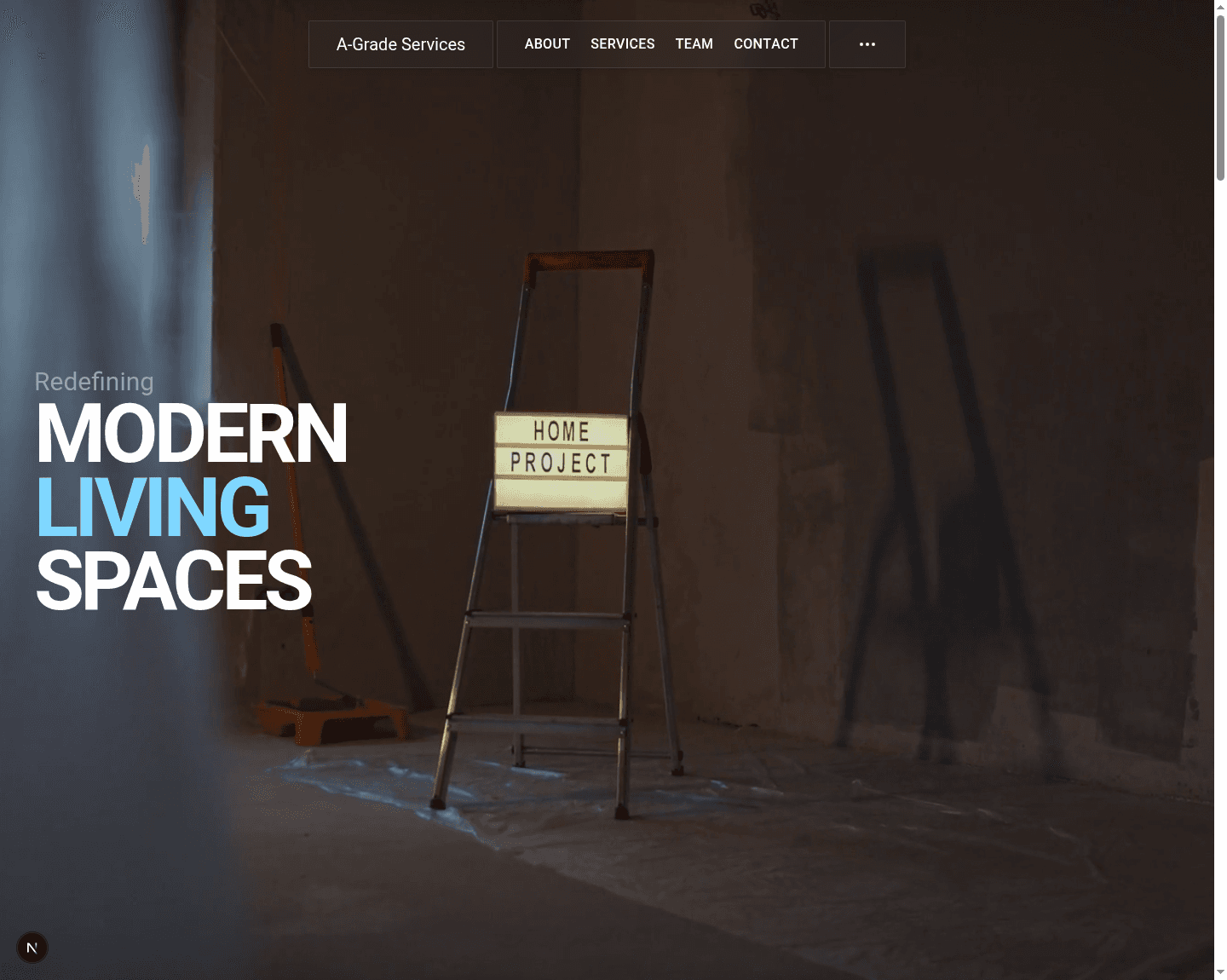
The strongest part of the prototype is the first-scroll experience. The video hero, sticky behavior, big typography, carousel, and dark-to-light section changes make the site feel more custom than a typical local-services site.
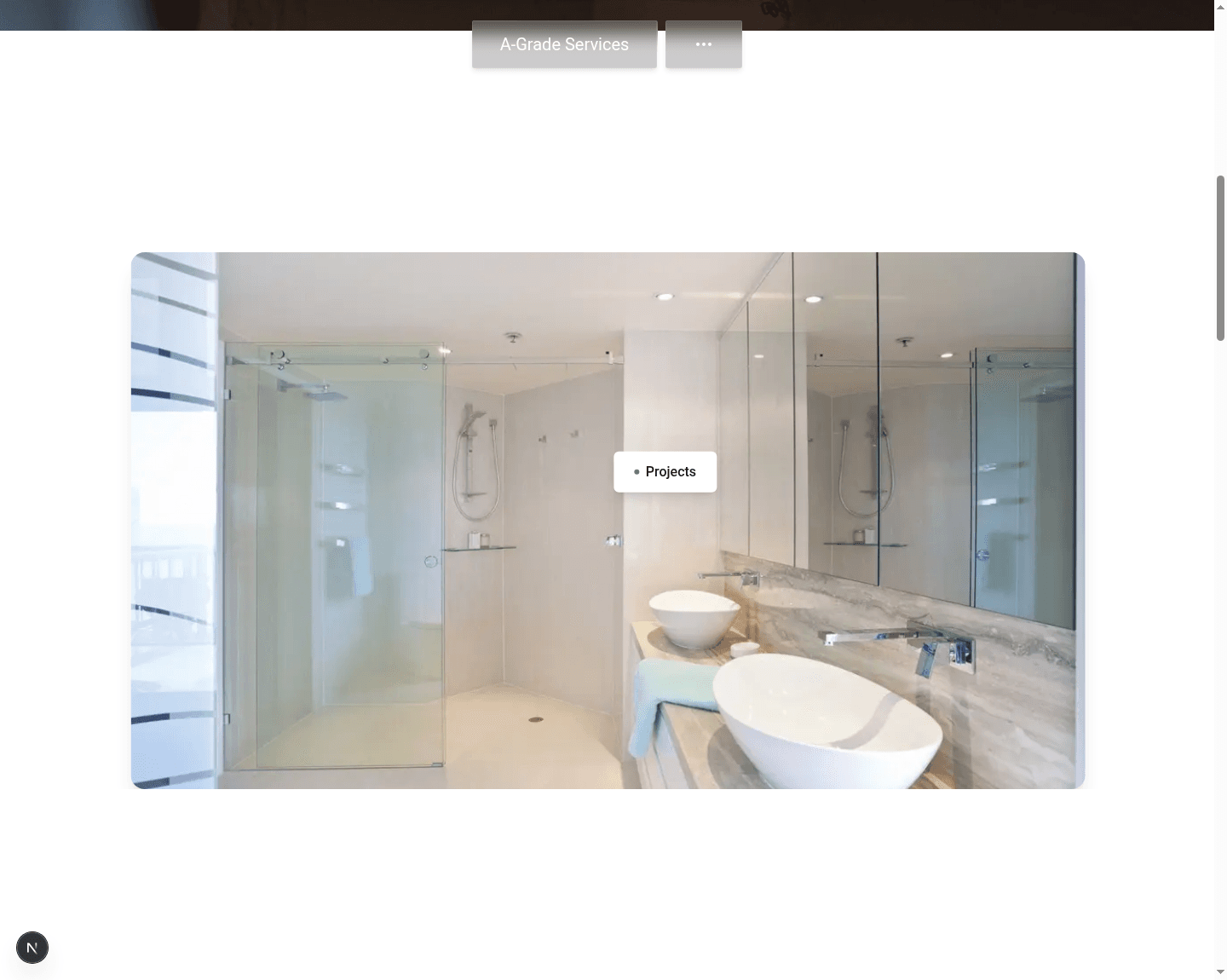
The desktop navigation concept is also promising. On hydrated desktop captures, the middle links collapse after scrolling, leaving a compact brand-plus-menu state. That creates a clean reading surface for the project carousel and later homepage sections.
The secondary pages have a consistent dark editorial system. About, Services, Team, and Contact share spacing, typography, page labels, and card treatments. That gives the prototype a coherent base for future design work.
Findings
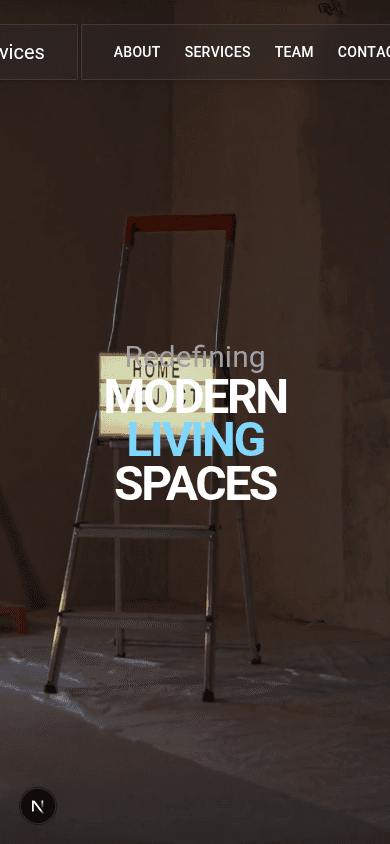
P1 - Mobile navigation overflows in both closed and open states
The fixed nav is w-[850px] max-w-[850px] in apps/web/components/layout/NavBar.tsx. On a 390px mobile viewport, the brand is clipped off the left edge and the Contact/menu controls are pushed off the right edge.
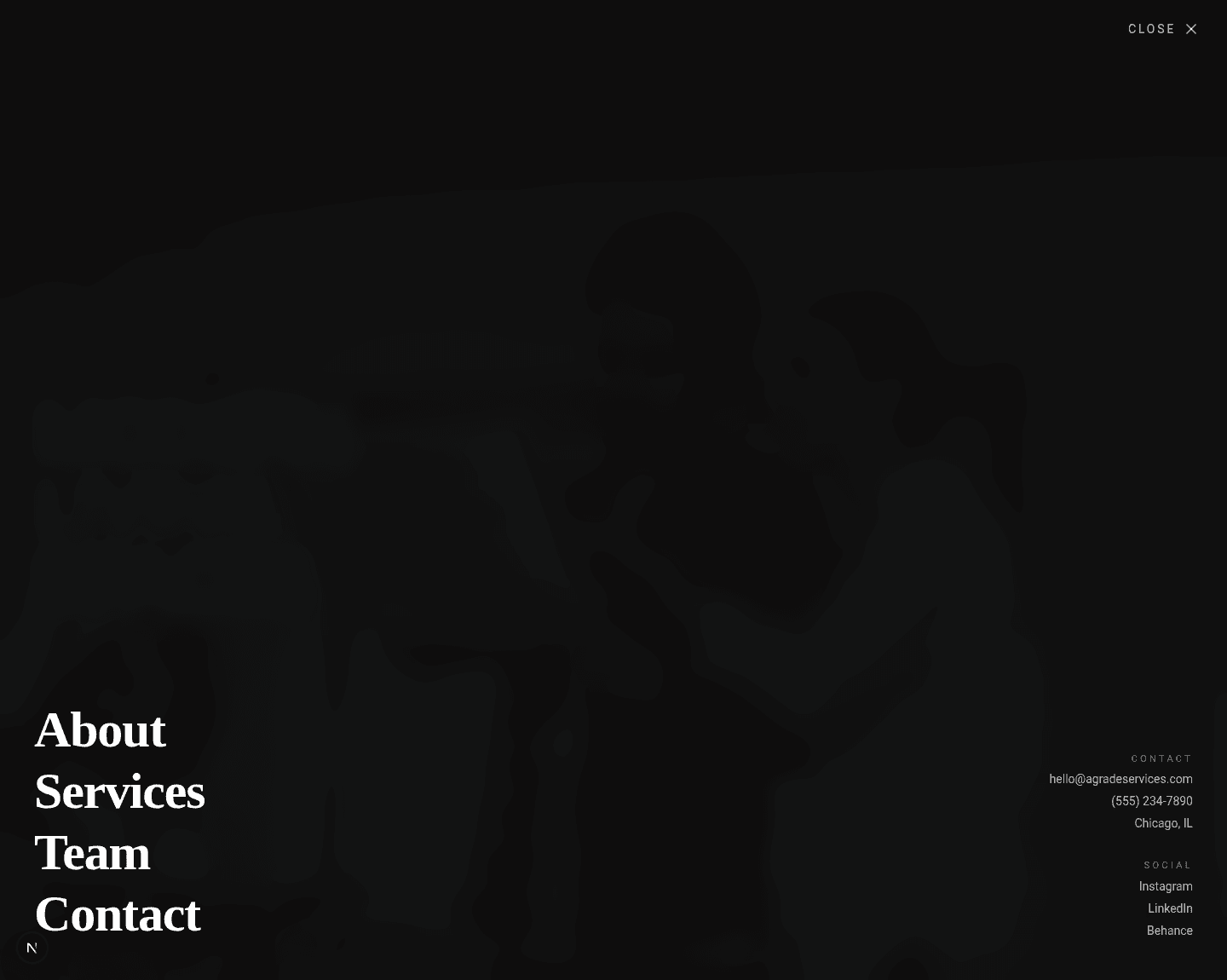
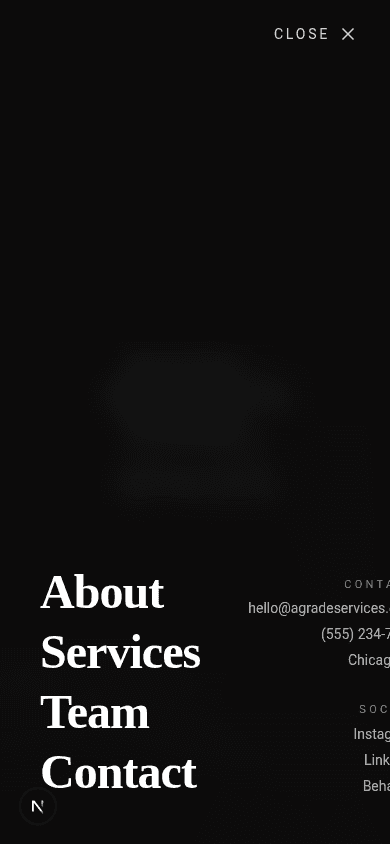
The overlay menu opens when triggered in the hydrated browser, but its right-hand contact/social column is also clipped on mobile because the overlay content uses a wide horizontal justify-between layout.
Recommended direction:
- Use
w-[calc(100vw-2rem)] max-w-[850px]or equivalent for the nav shell. - Hide or replace the middle route links below the breakpoint where they cannot fit.
- Keep only brand plus menu button on mobile.
- Stack overlay menu metadata below the route links on mobile instead of keeping it right-aligned off-screen.
P1 - Contact form looks functional but cannot submit a usable inquiry
The Contact page presents a polished form, but the form has no action, server action, API route, or client submit handler. The inputs also do not have name attributes or visible labels.
This is a high-priority launch issue because the page invites users to submit project details and then drops that intent.
Recommended direction:
- Add
name,id, andlabelrelationships for each control. - Add required-field validation for name, email, project type, and message.
- Wire submission to an email provider, CRM, form backend, or server action.
- Add loading, success, and error states.
- Add spam protection before public launch.
P1 - Dynamic/fallback imagery is off-brand
About, Services, Team, and Contact fetch Pexels images through getPexelsImages. With no PEXELS_API_KEY, the app logs fallback warnings and renders generic images such as forests, buildings, and abstract architecture. The Team page also uses non-portrait fallback images for people cards.
This weakens trust because the site copy promises precision remodeling, while several visuals do not show relevant services or real work.
Recommended direction:
- Prefer local, curated project assets for launch-critical pages.
- If remote search stays, validate the returned image count and subject fit.
- Create route-specific fallback sets: interiors for About, service work for Services, real portraits or no Team photos for Team, workspace/project imagery for Contact.
P2 - Hero is strong, but contrast depends on the video frame
The hero currently looks good when Chrome settles on a darker construction frame. The technical issue is that the intended black overlay is behind the video because the pseudo-element is z-0 and the video is z-10 in apps/web/app/page.tsx.
The current video often remains readable, but the contrast guarantee is fragile.
Recommended direction:
- Move the overlay above the video and below the text.
- Test the lightest video frames against the white headline.
- Consider a short supporting line or CTA if the homepage needs faster conversion.
P2 - Navigation contrast changes sharply on light sections
The nav uses translucent gray panels and white text. It is crisp on the hero and dark pages, but it becomes lower contrast and less intentional over white homepage sections. The collapsed nav behavior works, but the visual treatment needs a light-background state.
Recommended direction:
- Add a scrolled/light-section nav style with stronger panel fill or dark text.
- Keep the collapse behavior, but make the remaining brand/menu state feel deliberate on white surfaces.
P2 - Prototype content mixes real positioning with placeholder claims
The site has a clear service-business story, but several claims and entities read as placeholders:
- "320+" spaces/projects
- "92%" repeat clients
- Placeholder team names and roles
- Generic phone number
- Generic social destinations
Recommended direction:
- Mark unverified claims as draft-only in content planning.
- Remove the Team page from public nav until real people/content exist, or reposition it as "Process" or "Standards."
- Replace placeholder phone/social entries before launch.
P3 - Carousel is visually useful but not yet a complete project gallery
The carousel gives the homepage momentum. The hover label works on desktop, but there are no explicit controls, captions, project categories, tap behavior, or reduced-motion alternative for autoplay.
Recommended direction:
- Add previous/next controls or pagination.
- Add real project captions when project data exists.
- Decide whether carousel items should link to case studies.
- Respect
prefers-reduced-motionfor autoplay.
P3 - Footer needs real destinations and tighter pacing
The footer direction is strong: large dark panel, site index, social column, contact CTA, and oversized brand lockup. The current version includes href="#" social links and text-only "Write Us" and "Newsletter Signup" items. At desktop height, the approach to the footer can also feel sparse.
Recommended direction:
- Wire social links or remove them.
- Convert "Write Us" to
mailto:and decide whether newsletter signup is real. - Tune the preceding CTA and footer spacing together so the final scroll feels intentional.
Screenshot Inventory
All captured screenshots are stored in apps/docs/public/ui-review/.
| File | Purpose |
|---|---|
home-desktop-hero-cdp.png | Hydrated desktop hero |
home-desktop-carousel.png | Desktop first scroll/carousel |
home-desktop-carousel-hover.png | Carousel hover label |
home-desktop-services.png | Homepage services section |
home-desktop-metrics-cta.png | Process/metrics transition |
home-desktop-footer.png | Footer approach |
home-desktop-menu.png | Desktop overlay menu |
home-mobile-hero.png | Mobile hero and closed nav overflow |
home-mobile-carousel.png | Mobile carousel |
home-mobile-services.png | Mobile service cards |
home-mobile-menu.png | Mobile overlay menu overflow |
about-desktop-top.png | About desktop top |
about-mobile-top.png | About mobile top |
services-desktop-top.png | Services desktop top |
services-mobile-top.png | Services mobile top |
team-desktop-top.png | Team desktop top |
team-mobile-top.png | Team mobile top |
contact-desktop-top.png | Contact desktop top |
contact-mobile-top.png | Contact mobile top |